
A label printing example you can reproduce.
Use these fictional spreadsheets, editable designs and generated PDFs to learn a workflow, teach it, or evaluate PaperReady. The downloadable pack includes the source data and expected output together.
Prepared 30 September 2026. Original sample data and artwork; no real customer records.
1. Three spreadsheet rows become one address sheet
The sample uses the name,address,city,state,zip columns. The ZIP codes 02108 and 07102 retain their leading zeros. The proof places three labels on a US Letter sheet with Avery 5160 dimensions; the remaining positions are blank.
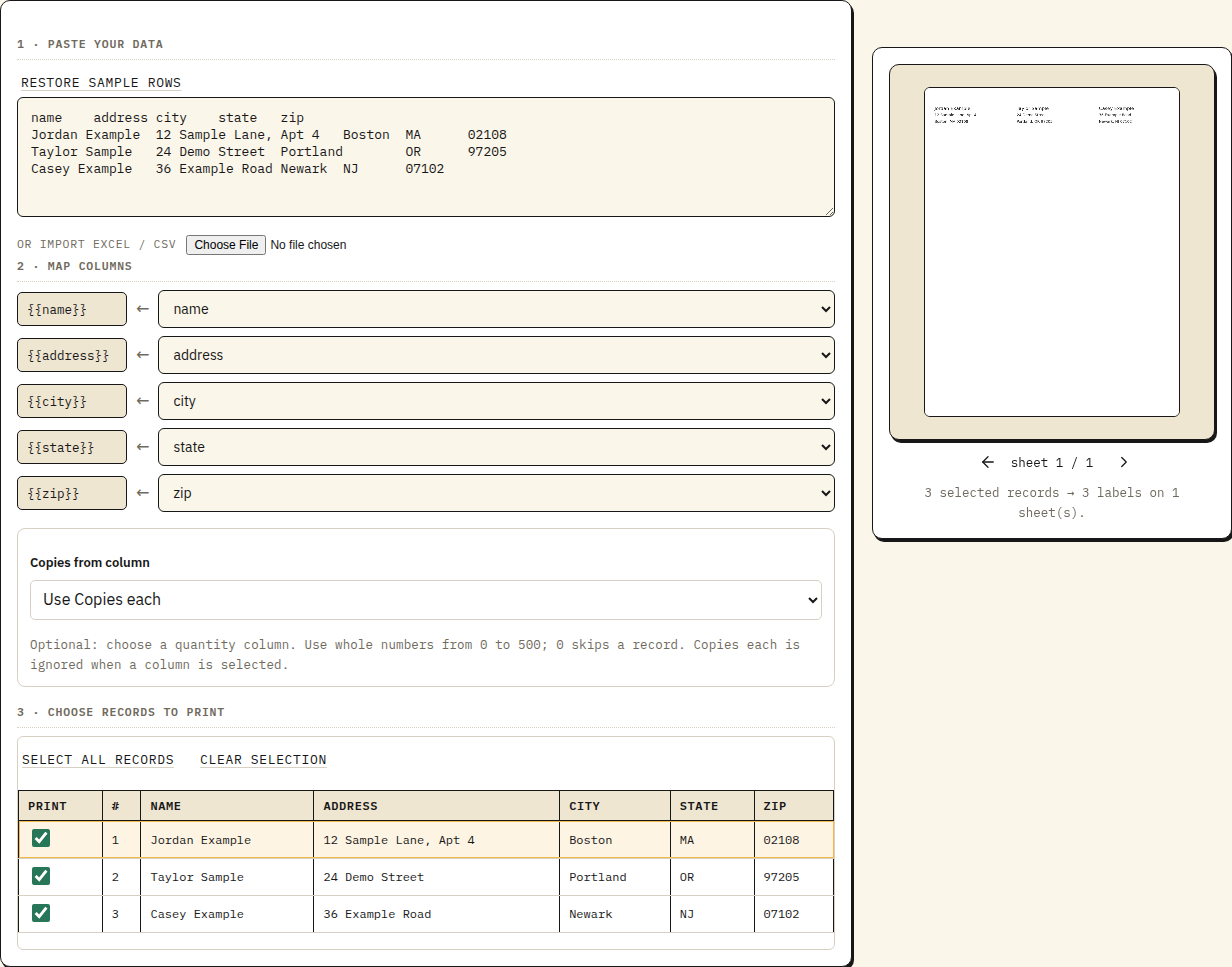
- Open the mapped sample, or import the source CSV into the address workflow.
- Check the first and last records, including the ZIP codes. Keep postal codes and identifiers as text in the source spreadsheet.
- Choose Download free proof. The resulting PDF has one 8½ × 11 inch page with three populated positions.
- Print on plain paper at Actual size / 100%, then compare it with the stock before using adhesive labels.
Full Excel-to-labels walkthrough and troubleshooting.
2. Three SKUs become three barcode labels
The inventory CSV contains three product names, internal SKUs and bin locations. Its proof has three 2 × 1 inch pages, one per record, with Code 128 barcodes encoding PR-001, PR-002 and PR-003.
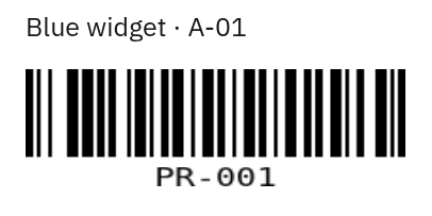
For per-row quantities, try the bulk barcode tool with the included quantity CSV. Its three rows request two, one and two copies: five labels in total. Internal SKUs do not assign retail product identifiers.
3. One inventory design adapts to different records
The reusable 3 × 2 inch design trims and uppercases SKU values, hides an empty bin line, and shows a SALE badge only when status equals sale. The source includes both populated and blank bins so you can compare the results.
Follow the formatting and optional-field tutorial. In the designer, choose Use a spreadsheet and import the sample CSV to reproduce the complete proof.
Check the journey from PDF to paper
The pack includes calibration PDFs for A4, US Letter and 4 × 6 inch stock, plus a worksheet for recording the printer, driver, stock and measured result. Use the print-scale calculator and printing checklist to investigate an actual setup.
What has been verified?
These three proof PDFs were exported through PaperReady’s guest workflow in Chromium. We parsed the page counts and sizes and rendered each page. Those checks verify the files, not physical printer or scanner compatibility. The kit’s manifest records the expected page sizes and checksums.
Use the files in a tutorial or review
You may copy, adapt and redistribute the original sample CSVs, artwork, screenshots and generated PDFs in this kit, including in commercial tutorials and setup documentation. Credit or a link to the relevant workflow is welcome but optional; no particular link wording or link attribute is required. This permission does not grant rights in third-party trademarks or imply an endorsement.
Individual PDFs and proofs of up to five batch labels are free without an account. Complete batches and saved lists require Pro. Browser PDF output needs no Print Bridge; direct printing uses the separate bridge and a suitable printer setup. Google Sheets data can be pasted or exported as CSV; native synchronization is not included. Current plans and limits.
For a reproducible problem or an editorial question, contact support@paperready.studio. Include the sample file and failed step, using fictional data.